
Laptops have become essential tools for work, school, and entertainment. Whether someone needs a portable workstation or a lightweight device for browsing, the right laptop makes all the difference. But with hundreds of models on the market, choosing one can feel overwhelming. This guide breaks down everything buyers need to know, from laptop types and key features to budget considerations and practical tips. By the end, readers will have a clear path to finding the perfect laptop for their needs.
Table of Contents
ToggleKey Takeaways
- Match your laptop type to your specific needs—ultrabooks for portability, gaming laptops for power, and 2-in-1s for flexibility.
- Prioritize 8GB RAM minimum for basic tasks or 16GB for multitasking, and always choose an SSD over an HDD for faster performance.
- The $800–$1,200 price range offers the best value for most laptop buyers, balancing premium features with reasonable cost.
- Check real-world battery life reviews since manufacturer claims typically fall 20–30% short of actual usage.
- Extend your laptop’s lifespan by keeping software updated, managing startup programs, and maintaining battery charge between 20–80%.
- Consider refurbished or previous-generation laptops to get flagship performance at budget-friendly prices.
Types of Laptops and Their Best Uses
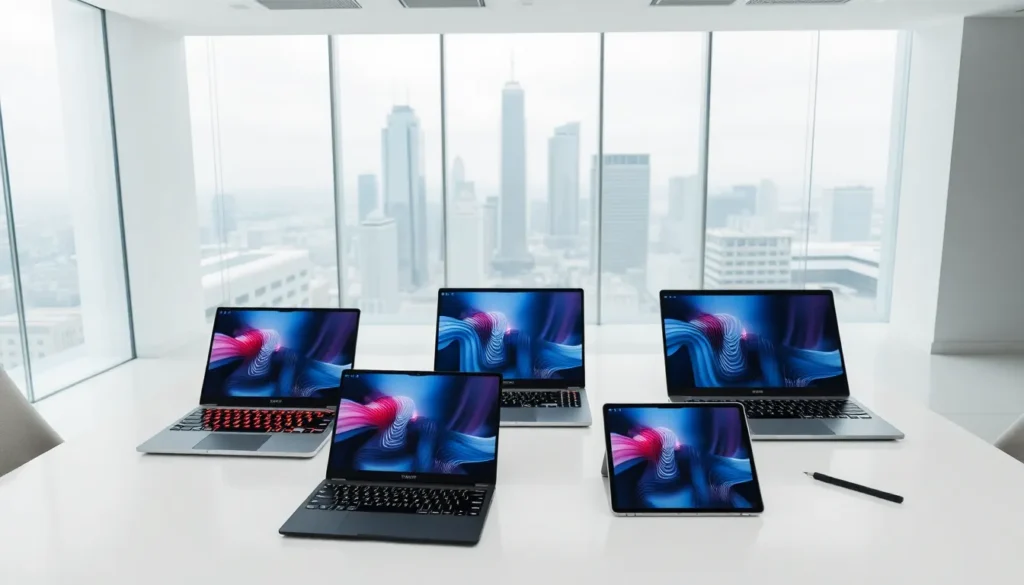
Not all laptops serve the same purpose. Understanding the main categories helps narrow down options quickly.
Ultrabooks prioritize portability. These thin, lightweight laptops typically weigh under 3 pounds and offer solid battery life. They work best for students, travelers, and professionals who need to carry their laptops daily. Most ultrabooks handle web browsing, document editing, and video calls without issue. But, they often sacrifice power for portability.
Gaming laptops pack serious hardware. They feature dedicated graphics cards, high-refresh-rate displays, and advanced cooling systems. Gamers and content creators benefit most from these machines. The trade-off? Gaming laptops tend to be heavier and drain batteries faster.
Business laptops focus on reliability and security. Models in this category often include fingerprint readers, TPM chips, and durable builds. Companies like Lenovo, Dell, and HP dominate this space with their ThinkPad, Latitude, and EliteBook lines.
2-in-1 laptops combine tablet and laptop functionality. Users can flip, detach, or fold the screen to switch between modes. These laptops suit people who want flexibility for presentations, note-taking, or casual media consumption.
Budget laptops offer basic computing at lower prices. They handle everyday tasks like email, streaming, and light productivity. Students and casual users often find budget laptops meet their needs without very costly.
Matching the laptop type to intended use saves money and prevents frustration later.
Key Features to Consider Before Buying
Beyond laptop categories, specific features determine day-to-day performance and satisfaction. Buyers should evaluate several factors before making a decision.
Display quality affects everything from work comfort to entertainment enjoyment. Screen size typically ranges from 13 to 17 inches. Larger screens offer more workspace but reduce portability. Resolution matters too, 1080p (Full HD) works fine for most users, while 4K displays benefit video editors and designers. IPS panels provide better color accuracy and viewing angles than TN panels.
Battery life varies dramatically between laptops. Manufacturers often advertise optimistic numbers. Real-world usage typically falls 20-30% short of claims. Laptops offering 8+ hours of actual battery life work best for mobile users.
Keyboard and trackpad quality impact productivity significantly. Laptops with shallow key travel can cause typing fatigue. Testing keyboards in person, when possible, helps avoid disappointment.
Port selection deserves attention. Many modern laptops prioritize slim designs over port variety. Buyers should check for USB-A, USB-C, HDMI, and SD card slots based on their peripheral needs. Some ultrabooks require dongles for basic connections, an added cost and inconvenience.
Build quality determines how well laptops hold up over time. Aluminum and magnesium alloy chassis resist wear better than plastic. Hinges should feel sturdy, not wobbly.
Performance Specifications That Matter
Specs can seem confusing, but a few key numbers tell most of the story.
Processor (CPU) drives overall speed. Intel Core and AMD Ryzen chips dominate the market. For general use, an Intel Core i5 or AMD Ryzen 5 provides plenty of power. Creative professionals and power users should consider i7/Ryzen 7 or higher.
RAM affects multitasking ability. 8GB handles basic tasks comfortably. Users running multiple applications, browser tabs, or creative software should aim for 16GB. 32GB benefits video editors and developers.
Storage comes in two main types: SSD and HDD. Solid-state drives (SSDs) load programs and files much faster than traditional hard drives. A 256GB SSD works for light users, but 512GB or 1TB suits most people better. HDDs offer more storage for less money but sacrifice speed.
Graphics matter most for gaming, video editing, and 3D work. Integrated graphics (built into the CPU) handle everyday tasks and light gaming. Dedicated GPUs from NVIDIA or AMD deliver serious graphical power for demanding applications.
How to Determine the Right Laptop for Your Budget
Laptops span a wide price range. Setting a realistic budget helps filter options effectively.
Under $500: Budget laptops in this range handle basic computing. Buyers get entry-level processors, 8GB RAM, and 256GB storage. Chromebooks also live here, offering fast boot times and strong security for users comfortable with web-based apps.
$500-$800: Mid-range laptops deliver better performance and build quality. Expect capable processors, 8-16GB RAM, and 512GB SSDs. Many solid options for students and office workers fall in this bracket.
$800-$1,200: This sweet spot offers excellent laptops for most users. Premium ultrabooks, capable gaming laptops, and professional machines become available. Displays improve, builds feel sturdier, and performance handles demanding tasks.
$1,200-$2,000: High-end laptops provide top-tier components and premium materials. Creative professionals, serious gamers, and business executives often shop here. Features like OLED displays, long battery life, and powerful GPUs become standard.
$2,000+: Flagship laptops target enthusiasts and professionals with specific needs. Workstation-class machines, high-end gaming rigs, and premium ultraportables populate this tier.
Buyers should identify their must-have features first, then find laptops matching those requirements within their budget. Overspending on unnecessary power wastes money. Underspending creates frustration when the laptop can’t handle needed tasks.
Refurbished and previous-generation laptops offer another path to value. A year-old flagship often outperforms a new budget model at similar prices.
Tips for Getting the Most Out of Your Laptop
Buying the right laptop is just the start. Proper use and maintenance extend its lifespan and performance.
Keep software updated. Operating system and application updates often include performance improvements and security patches. Delaying updates leaves laptops vulnerable and potentially slower.
Manage startup programs. Too many applications launching at boot slow everything down. Disabling unnecessary startup items speeds up the laptop noticeably.
Clean regularly. Dust accumulates in vents and fans, causing overheating and thermal throttling. Compressed air clears debris safely. Wiping the screen and keyboard prevents grime buildup.
Protect the battery. Lithium-ion batteries degrade over time, but good habits slow the decline. Avoid leaving laptops plugged in constantly at 100%. Keeping charge between 20-80% when possible extends battery lifespan. Extreme temperatures also harm batteries.
Use external storage and cloud backups. Laptops can fail unexpectedly. Regular backups to external drives or cloud services protect important files from loss.
Consider accessories. A laptop stand improves ergonomics and cooling. External monitors expand workspace. Quality mice and keyboards enhance comfort during long work sessions.
Run security software. Antivirus programs and firewalls protect against malware and threats. Windows Defender provides solid baseline protection for most users.